Select the right OBS installation before creating instances
Open the client’s OBS instance page and select an installed OBS environment. On Windows, choose the installation level containing bin, data and obs-plugins; on macOS, select OBS.app. New copies are stored in OBSList inside the selected installation directory on Windows, or in OBSList alongside OBS.app on macOS. Fix an invalid path or access problem before duplicating the environment.
- Name instances by purpose and account, such as Product demo A or Portrait game B.
- Start and verify one instance before adding another.
- Sharing a camera depends on the device, driver and capture method.
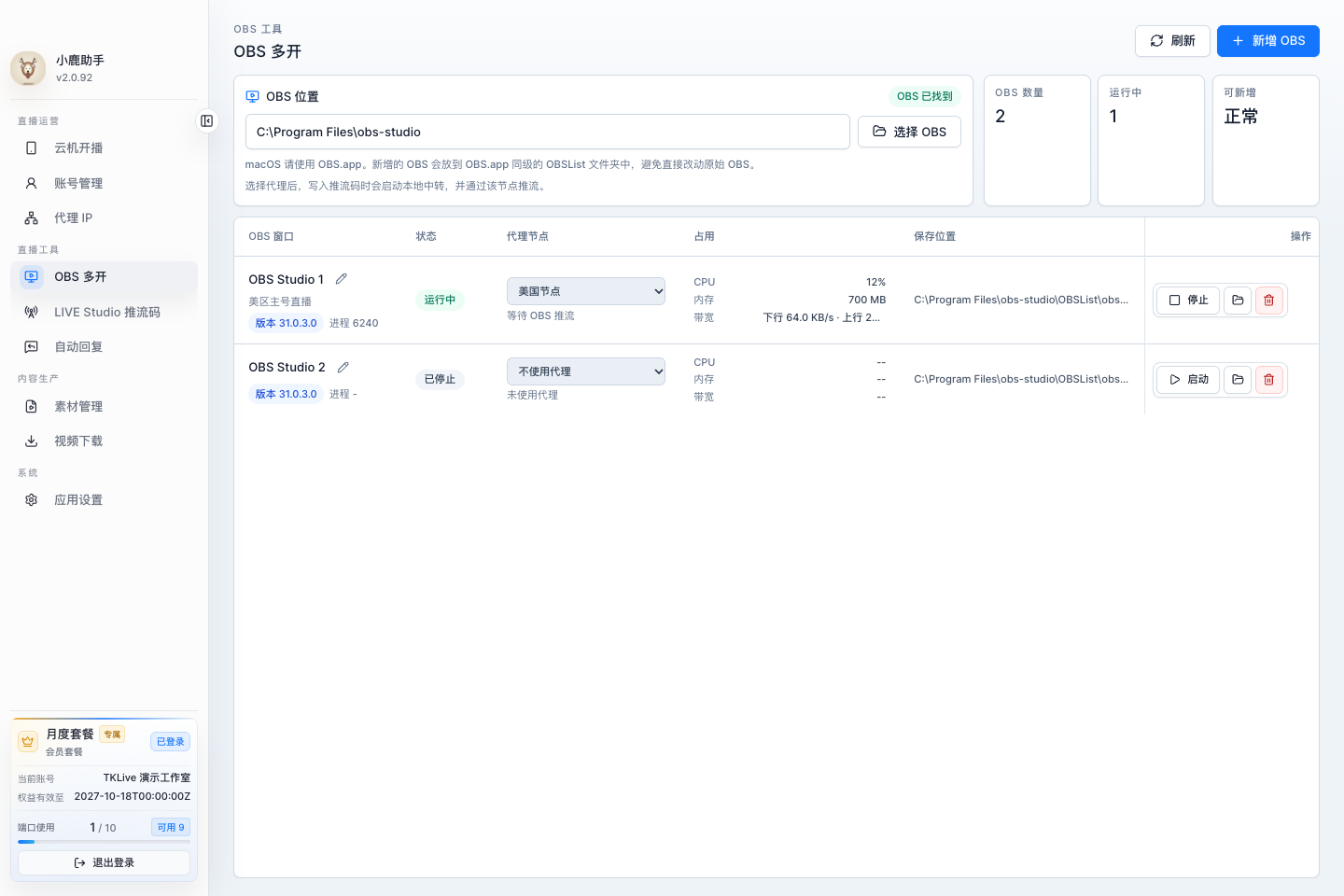
Start inside TKLive
Open the built-in OBS management area in the client. Identify the account and purpose of each instance before configuring its scenes, inputs and streaming parameters. Available controls and authorized limits depend on your current version and plan.
- Use the TKLive client workflow on Windows or macOS.
- Do not rely only on window position to identify a broadcast.
Validate one instance before adding another
Complete a short test with the first instance. Add further instances one at a time, checking account mapping, audio and picture again. Cameras and other capture devices may behave differently when several instances attempt to use them.
- Preview every output independently.
- Check device sharing and duplicate audio capture.
Size concurrency to the real workload
Multiple OBS instances share CPU, GPU, memory and upload capacity. Resolution, frame rate and scene complexity change the load. A computer that opens many windows may not sustain that many broadcasts, so test using your actual media and network.
- Watch encoding load and dropped frames.
- Confirm every broadcast has stopped when ending the session.
FAQ
Frequently asked questions
Start here for common questions about purchasing, access and system requirements.
Is OBS multi-instance management built into TKLive?
Yes. It is part of the TKLive client workflow for Windows and macOS.
How many broadcasts can I run at once?
There is no universal number. Your authorization, hardware, scenes, bandwidth and account eligibility determine the practical limit.
Content reviewed: October 18, 2026 · TKLive product team